One brand colour in. A themed partner out.
The payments fintech whitelabels its payment portal to every partner organization, and each one needs 20 design-system colour tokens, its logos placed correctly, and illustrations recoloured, all wired into a handoff doc. We turned that from slow, error-prone handwork into a Claude Code skill: give it a partner's primary HEX, and AI + a little automation do the rest. 29 partners themed this way so far.
Theming is a factory job.
Every partner organization gets the same portal wearing its own brand. That means, per partner, a precise set of colour tokens derived from the partner's primary, the right logo on the right surface, a recoloured illustration, and a dozen careful edits to a shared handoff doc. Multiply by dozens of partners and it's a factory: exactly the kind of repetitive, rule-bound work AI and automation should own.
One HEX (maybe two)
The client's primary action colour, plus an optional accent for layout and illustration.
20 tokens, 2 logos, 1 illustration
All computed from that input. No colour picked by hand, no logo placed by guess.
Wired into the handoff doc
JSON, HTML, side-nav, version bump, validation: the partner appears in the doc, ready for dev.
What each partner used to cost.
By hand, adding one partner is a chain of fiddly, error-prone steps, and every one is a chance to introduce drift between the doc and the real design tokens.
- Hand-mix 20 tokens: run a mix function against white and black at ten opacity stops, per partner. Across 29 partners that's 580 tokens computed by hand.
- Guess the logo pairing: eyeball which SVG is for light vs dark surfaces (and the filename usually lies).
- Recolour the illustration: swap the brand-coupled hexes to match the partner.
- Edit the doc in three places: the
PARTNERSarray,PARTNER_ASSETS, and the side nav, without breaking JSON or JS syntax. - Bump the version, write the per-partner token file, validate: then hope nothing drifted from the source-of-truth algorithm.
Slow, and quietly fragile
The real risk wasn't just time. It was drift. Three separate implementations of the token math (a generator, the doc, the per-partner files) have to produce byte-identical output. One hand-typed hex off by a digit and a partner ships slightly wrong. Automation makes that class of error impossible.
What the automation had to guarantee.
HEX in, partner out
The teammate supplies only what can't be derived: the brand colour and the logos.
One source of truth
The token math lives once; every output is byte-identical to it, every time.
Same steps, any partner
A guided procedure that runs the same way for partner 1 and partner 29, and validates itself.
HEX → themed partner, in one guided run
The skill is a conversation with built-in steps. The teammate names a partner and drops files; the agent derives everything derivable, runs the scripts, makes the edits, and validates without ever inventing an input it should have asked for.
Primary HEX (+ optional accent) and the logo SVGs. The only human inputs.
20 tokens from the mix algorithm; logo light/dark decided by luminance.
Edit PARTNERS, PARTNER_ASSETS, side nav; recolour illustration; bump version.
JSON parses, files exist, no placeholders, math sanity-checked.
Ten opacity stops become twenty tokens.
The heart of it is a tiny, deterministic function. The primary is mixed with white at eight tint stops and with black at two shade stops; those ten colours map onto the twenty DLS action, icon, text, and layout tokens. Same input, same output, forever. That's what kills drift.
mix(primary, opacity, white | black)
Eight tints against white (0.91 → 0.01) for hovers, focus rings,
and light fills; two shades against black (0.91, 0.30) for pressed states and the dark
layout bar. Round, convert to hex, map to token names. The generator below runs this exact
function.
Accent-aware
Some enterprises use a second brand colour in the layout (navy top bar, orange CTA). When an accent is supplied, the layout and illustration tokens derive from it while action surfaces stay on the primary: one branch, still fully derived.
The theme has to match the partner's real world.
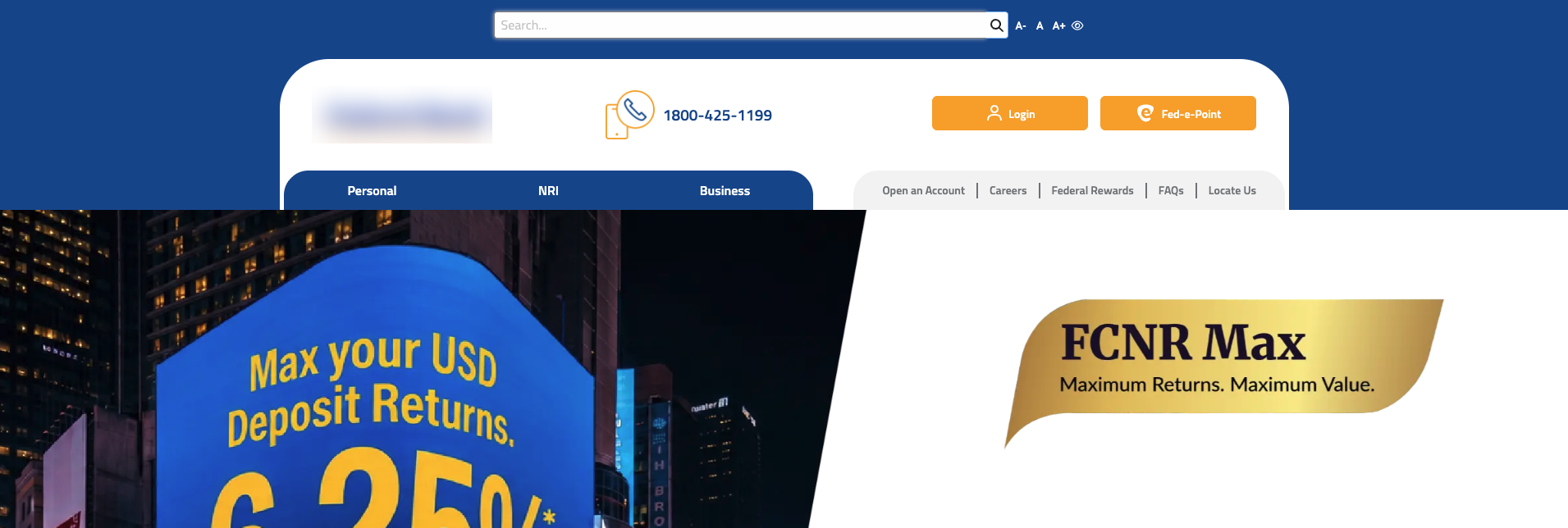
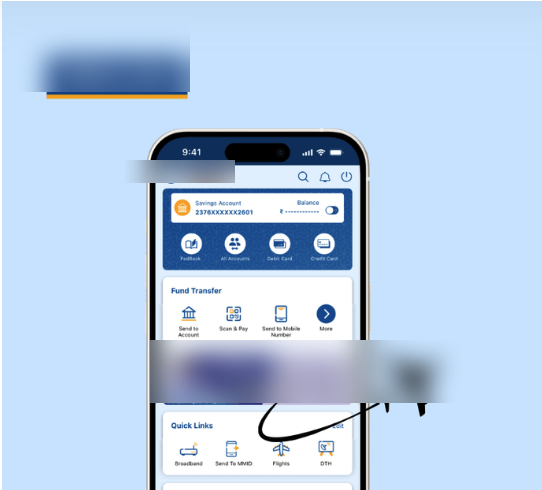
A partner isn't one colour. Take Partner A: navy owns the layout, from the top bars to the wordmark, while orange is the action colour on every CTA. Paint the whole portal one primary and you lose the partner's identity. That's why the engine takes a primary and an accent, and why the output has to be checked against the partner's actual site and app.
 Click to zoom
 Click to zoom
The live interface: navy (#0048B8) in the layout, orange (#FF9C00) on the actions. The theme is checked against exactly these.
 logoOnLight
 logoOnDark
The exact preview screen from the handoff doc, themed with Partner A's two brand colours: the same mock as the playground above, rendered from Partner A's real tokens.
The logo lands on the right surface, automatically
Partner A ships two wordmarks, navy and white. Rather than trust the filenames, the AI runs a
luminance script over both: the darker one becomes logoOnLight (card header, desktop
top-left), the brighter one logoOnDark (the navy mobile brand bar). No human decides
which is which, and the wordmark never disappears against a same-colour background.
The real token engine, in your hands.
This is the actual algorithm the skill uses, ported verbatim. Pick a partner, or type a primary HEX, and an optional accent, and watch the twenty tokens and a themed preview regenerate. This is what the automation does in a fraction of a second, per partner, with zero hand-typing.
Twenty-nine partners, one algorithm.
Every card below is generated in-browser from the partner's real primary HEX by the same function: the action fill, its pressed shade, and a tint ramp. No screenshots, no hand-picked colours: this is the output, rendered from data.
The parts a human used to do, an agent now does
This isn't "a script ran." A Claude Code agent holds the whole procedure as a conversation, and each step below is a judgement or transformation the agent performs itself, asking for a colour or a logo only when it genuinely can't derive it. That's the difference between automation and an agent: it handles the messy, in-between decisions.
Reads the brand colour
From a brand kit, website, or screenshot the agent identifies the primary, and spots when a second colour (an accent like Partner A's navy) is really in play.
Turns a React logo into clean SVG
When a logo only exists as a .tsx component, the agent rewrites JSX to SVG: fillRule→fill-rule, strips React props, adds xmlns, no designer re-exports it.
Runs the luminance check
It runs the Python detector over both logos and reads the result to assign light vs dark surfaces, then asks a human only if the two are too close to call.
Generates the 20 tokens
The agent runs the mix algorithm for the primary (and accent branch), producing the exact token set: the same math this page runs live.
Wires the doc, three places
PARTNERS, PARTNER_ASSETS, the side nav, plus the version bump and per-partner token file: multi-file edits made without breaking JSON or JS.
Validates its own work
JSON parses, files exist, brace counts balance, no placeholder strings left. The agent verifies before declaring the partner done, and refuses scope creep on the locked schema.
What it produced.
- 29 partners themed: the handoff doc is at v2.9 · 29 partners, each added through the same guided run.
- 580 tokens generated, none by hand: 20 per partner, byte-identical to the source-of-truth algorithm.
- Drift designed out: one mix function, three synchronized implementations, validated every add.
- Logo placement de-risked: luminance detection replaced eyeballing which SVG goes on which surface.
More of the factory, automated.
Whitelabel theming is the first of a family of design-ops automations built as Claude Code skills, the same pattern (derive what's rule-bound, ask for what isn't, validate) applied to the other slow, repetitive jobs.
Accessibility checks
An accessibility-check skill: audit contrast, focus, and WCAG scoring on a component automatically.
Breakpoint checks
A breakpoint-check skill: verify responsive step-down behaviour against the system's breakpoints.
Finish the pending partners
Eight partners queued in the pending list, each a single guided run away.
One honest learning.
The win wasn't speed for its own sake. It was making a whole class of mistakes impossible. Once the token math lives in one place and everything derives from it, "which hex, which logo, which version" stops being a judgement call. The design work moved up a level: from mixing colours by hand to defining the rules a machine mixes them by.